Creating Your First Club
Once you've completed the initial setup, it's time to create your first club! This guide will walk you through the process step by step.
The Club Creation Wizard
When you have no clubs, you can see a button on your dashboard to create your first club. If you already have clubs, you can find this button by going to Clubs > New Club from the sidebar. This tool will guide you through the process of setting up your club with ease.
1. Create Your Club
Using the Club Creation Wizard, fill out the forms with your Club Name, Description, Club Image URL, and Organization Name.
- Club Name (required): The name of your club (e.g., "Chess Club"). This will identify your club across ChapterSuite.
- Description: A brief description of your club's purpose and activities. This will appear in some locations, such as the club dashboard and clubs list.
- Club Image URL: A link to an image representing your club. This is what students will see when they join your club. You can use an image hosting service like Imgur or upload an image to your school's website and link to it.
- Time Zone: The time zone in which your club resides. All dates and times on ChapterSuite will appear in this time zone when your club is selected.
- Organization Name: The name of your school or organization. This helps us provide better support and resources tailored to your needs.
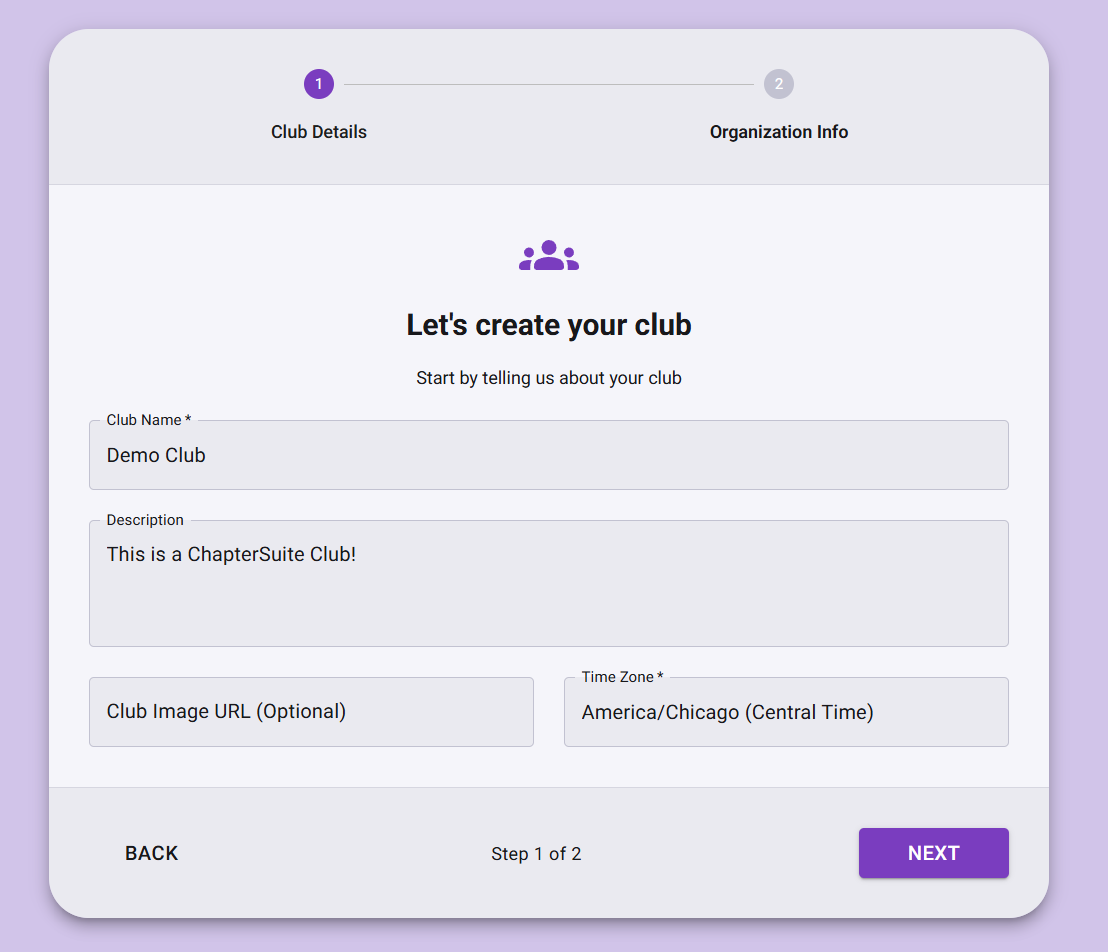
Once your club has been created, you can move on to payment.
2. Complete payment
Once you have created your club, you will be directed to the club selection screen. From here, once your select your new club, you will be prompted to choose a plan and complete payment for your club. You can view our pricing plans to find the best fit for your organization.
All plans come with a 7-day free trial, so you can explore all features without commitment. If you are part of a Title I school, you may be eligible for a free plan. Go to our Title I page for more information.
Best Practices
Growing Your Membership
- Start with core members: Invite your most engaged people first
- Create compelling content: Share interesting events and discussions
- Be active: Regular activity encourages member participation
Maintaining Engagement
- Regular events: Schedule consistent meetups or activities
- Clear communication: Keep members informed about club activities
- Gather feedback: Ask members what they want from the club
Next Steps
Now that your club is created, explore these guides: